Looking for how to pay traffic fine online? Paying for these services has become easy with the GePG app, which you can use from any location. It has eliminated the need for physical visits to banks and allows you to pay fines quickly.
The Government e-Payment Gateway (GePG) in Tanzania lets you easily pay Deni La Gari, or motor vehicle traffic fines, license renewal fees, or other Government expenses through this platform. This step-by-step guide will show you how to use the GePG app to pay pending traffic fines online (Deni La Gari)?
What is the GePG App?
The Tanzanian government launched the Government e-Payment Gateway (GePG), a digital network designed to make processing payments for public services easier. Taxes, fines, and licenses can all be paid for with the GePG app, which is accessible from any computer or mobile device.
How to Pay traffic fine through GePG App?
To pay fines online by using GePG app follow the steps given below:
Step 1: Download and Install the GePG App
If you are using an Android device, visit the Google Play Store.
If you are using an iOS device, then go to the Apple App Store.
Click on Search icon and type GePG it clicks on install the GePG app.
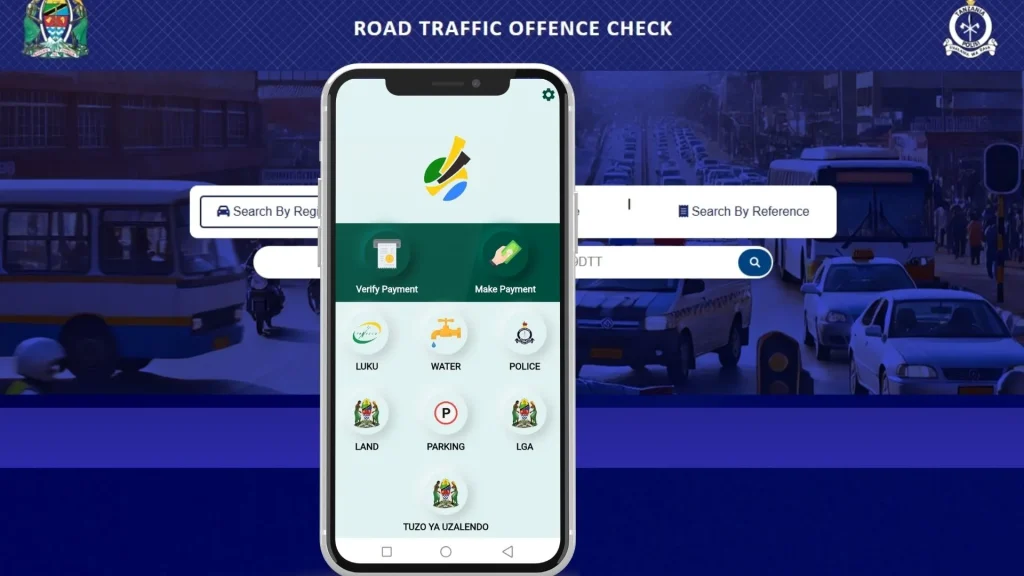
Step 2: Open the app and Choose Service
When you launch the GePG app, a number of options will appear.
Choose the service you want, such as police or parking.
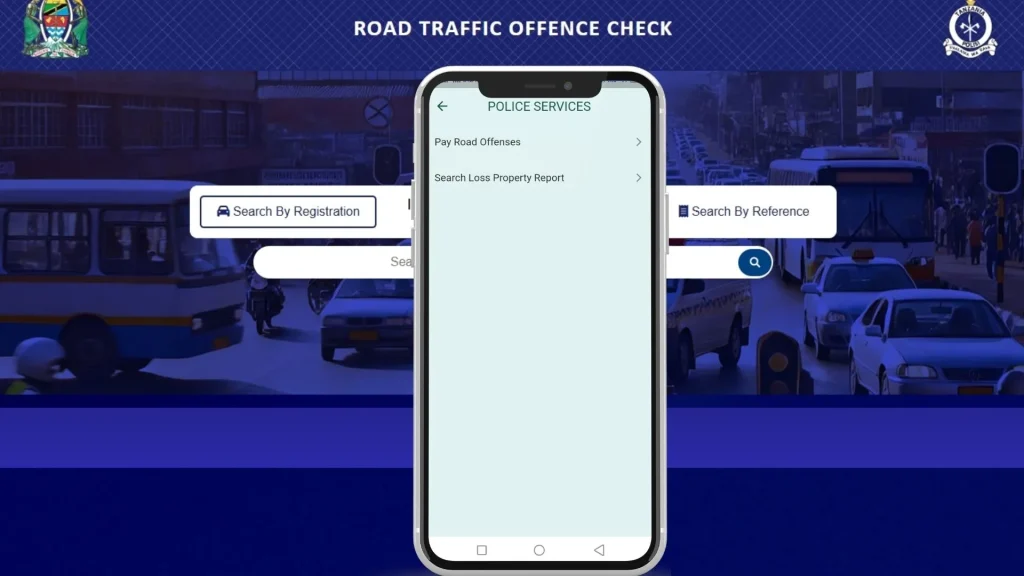
Step 3: Police Services
If you choose police then you will see the two options:
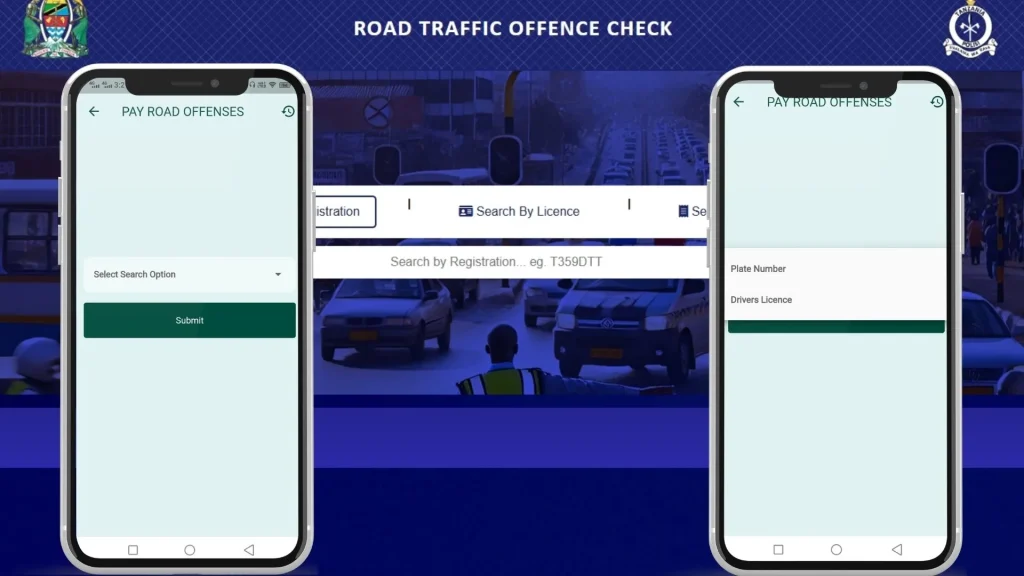
After you select the service or other choice, enter the plate number of your car plate or driver’s license number.
Click “Submit” to get a report of your car debt or “No Bill” if you don’t have one.
Step 6: Search By Control Number
If you have a traffic ticket then you can choose to search with a control number or reference number too.
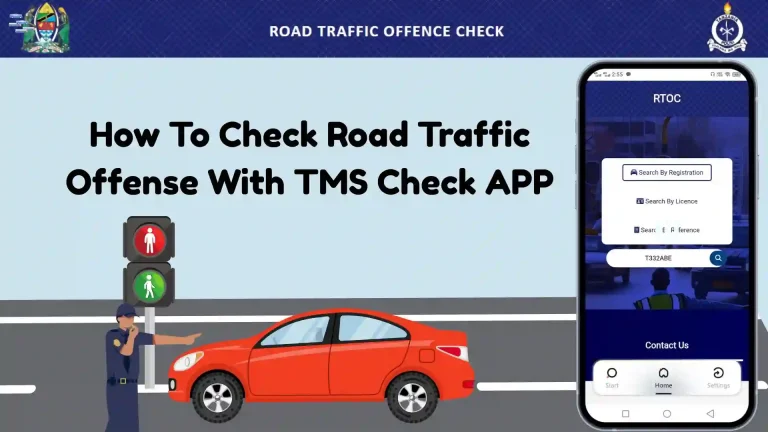
Note: You can get your fine details online through tms check official website or app too and can copy control number which you can use to pay fines online via GePG app.
Step 7: Verify Road Offense Bill Details
Please review the details of the fines that are shown on the screen.
Verify if all the details are accurate, especially the traffic fine amount.
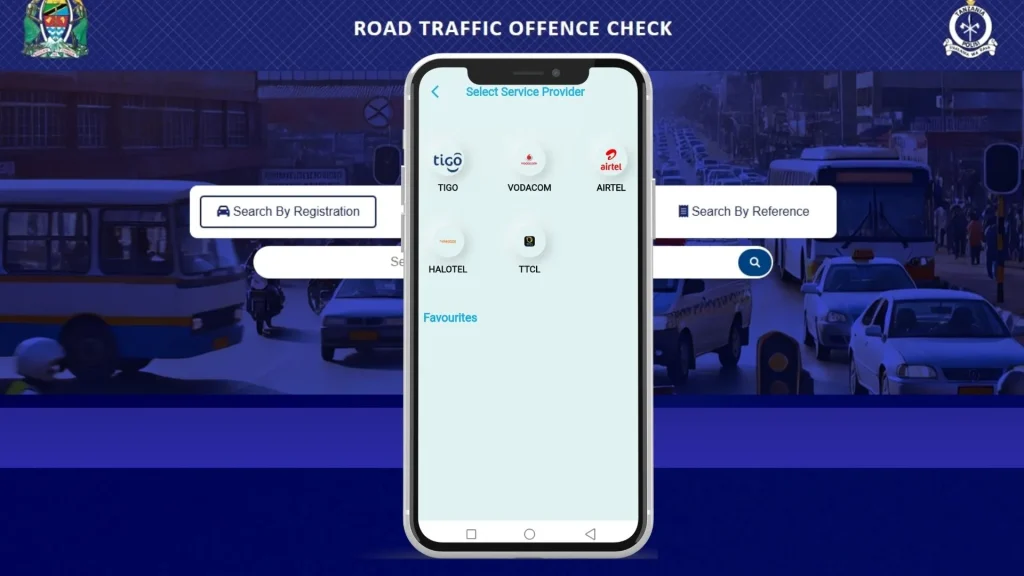
Step 8: Select Payment Method
The GePG app lets you pay in a number of ways choose your preferred payment method from the given payment methods as given below:
Airtel
Tigo
Vodacom
Halotel
TTCL
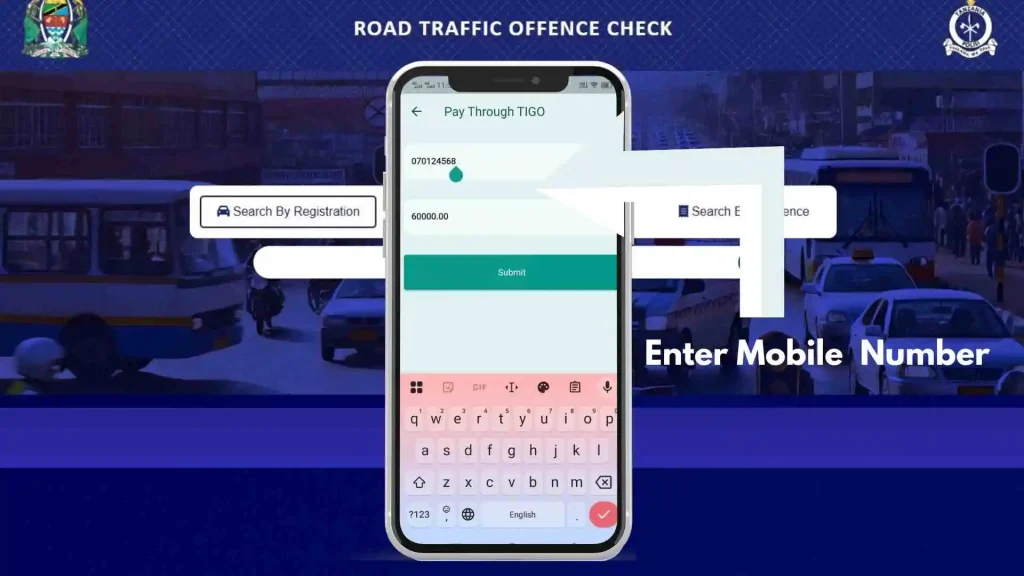
Step 9: Enter Mobile Number
After you have selected the payment method the given options enter your mobile number.
And then click on Submit.
Step 10: Complete the Payment
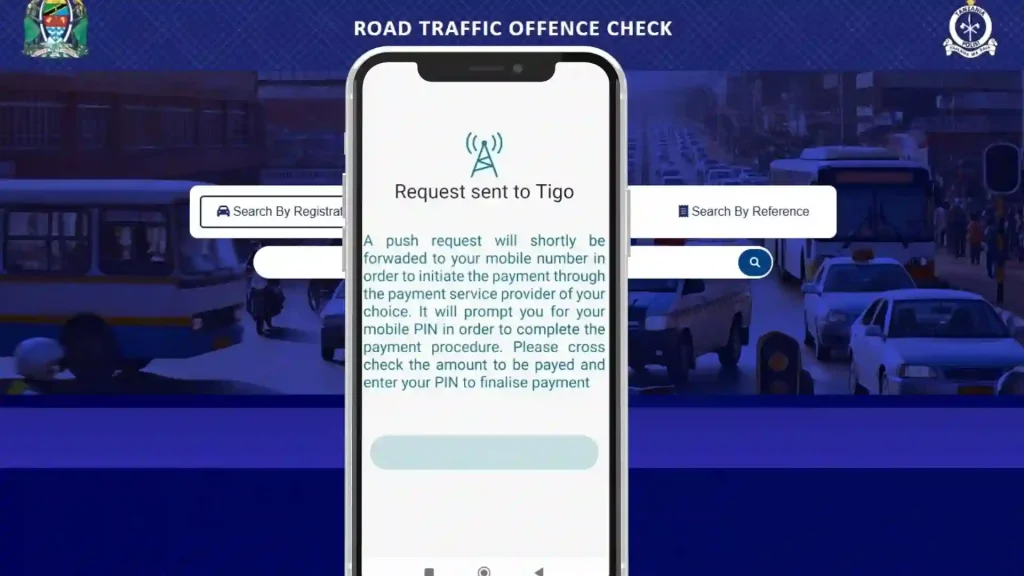
After you click on submit the request will be sent to the chosen mobile wallet number.
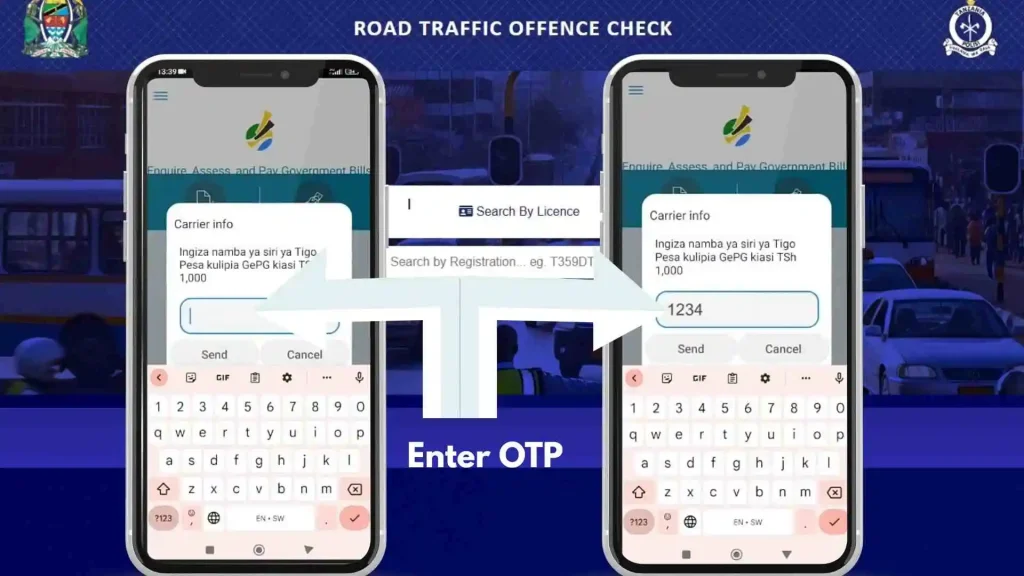
To authorize the transaction, you will receive a prompt on your phone if you are using a mobile wallet.
Enter your Pin code to verify the payment.
Finish the payment process by following the instructions given.
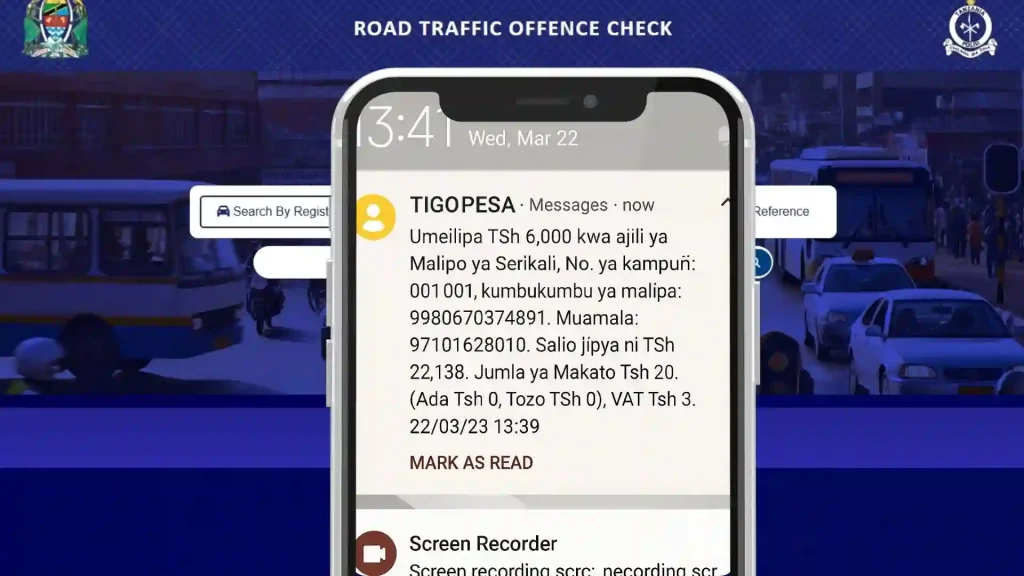
You will receive a confirmation message and a receipt as soon as the payment is successful.
Step 11: Save Your Receipt
For your records, you can download or take a picture of the cash receipt.
The receipt is evidence of payment and can be needed in the future.
How to Verify Payments in GePG APP?
GePG app also lets you verify your government payments if you have paid the fine or other government fee and want to verify the fine payment status:
Click on verify payment in the GePG app.
Select search option for payment verification from the given options:
Control Number
Bank Receipt
Mobile Operator Receipt
Mobile Number
GePG Receipt
After selecting the search option method enter the information for example if you choose control number then enter the control number and click on search.
You will see the status bill paid.
Benefits of Using the GePG App for Deni La Gari Payments
Convenience: You can pay your vehicle-related fees from anywhere at any time without having to go to a government office.
Saves time: Using the app will help you skip long lines and get things done faster.
Transparency: The app ensures transparency by giving you clear information about your fees and fines.
Secure Payments: The GePG platform is safe and reliable, so your financial information is safe.
Traffic Fine Payment Through Bank
You can also pay traffic fines by visiting the government approved banks or their branches nearest to you. Visit any nearest bank and show them the fine ticket and submit the payment. Government approved banks where you can pay traffic fines are:
NBC
NMB
CRDB
Tips for a Smooth Payment Experience
Make sure your online connection is stable before you begin.
Verify your car’s information twice to prevent mistakes.
Make sure you have enough money in your bank account or mobile money to cover the payment. If you have any problems, call GePG customer service for help.
Conclusion
The GePG app makes it easier than ever to pay Deni La Gari in Tanzania. If you follow the steps above, you can pay your fees and fines for your car quickly and safely. Please take advantage of how easy it is to pay digitally while still following Tanzanian law.
Frequently Asked Questions
You can pay traffic fines online through GePG applications.
Yes, you can check any pending traffic offense online through the GePG application by entering your vehicle’s registration number or your traffic license number.
The app supports Airtel Money, Vodacom, Tigo Pesa, Halotel Money, and TTCL Pesa.
Yes, it uses government-backed secure encryption protocols hence its completely safe to use.
Yes, you can verify your payment status by entering a control number through the GePG app.
Road safety awareness starts with understanding the traffic signs. It is important for drivers, cyclists, and pedestrians to have knowledge of Road Traffic Signs so that they do not commit traffic offenses and safety is ensured. In Tanzania, it is estimated that over 60% of road accidents result from misunderstanding traffic signs. In this article,…
The Road Traffic Act of Tanzania marks the beginning of vehicle transport regulation in Tanzania. It describes the governing policies and outlines the rights, duties, and sanctions associated with road usage, vehicle operation, and driving conduct. As a motorist, car owner, or road user, knowing the law as per this act will help you comply…
Jinsi ya Kupata Police Clearance ? A Police Clearance Certificate (PCC) is one of the most crucial documents in Tanzania that attests to your past and legal status. This certificate is a typical requirement for travel, employment, and legal matters. This article will provide you with an in-depth overview of the Police Clearance Certificate, including…
For all vehicle owners in Tanzania, it’s important to keep their vehicle registration details updated and also verify its status. Whether you are buying a used vehicle, validating the details of ownership, or simply wanting to check if your vehicle is registered legally, the TRA and other relevant institutions have done their best to ensure…
A driver’s license is an important document issued by the relevant authorities in any country. In Tanzania, the Tanzania Road Transport and Highways Authority (SUMATRA) and the Tanzania National Road Transport Agency (TANROADS) are responsible for issuing and administering driver’s licenses. In this article, we will provide you with detailed information on how to check driving license, its…
The TMS Check app is an official mobile application which enables Tanzanian citizens to manage and verify traffic offenses, vehicle fines, license status, and other road compliance requirements directly from their smartphones. It reduces the chances of missing fines and payments that are often paid late as well as reduces the physical visits to…